
Summary
Computer vision is a branch of AI that teaches machines to see and understand images. It works in three steps: capturing an image, processing it, and making predictions about what’s in it. You use it daily through face unlock, Instagram filters, and shopping apps. The technology relies on pixels, machine learning, and neural networks called CNNs. Students can start learning with Python and OpenCV, building simple projects like face detection. This guide covers everything from basic concepts to real-world applications, with interactive activities and resources to begin your computer vision journey.
You open Instagram and a filter instantly puts dog ears on your head.
You unlock your phone just by looking at it.
You see a cool sneaker on the street and your shopping app finds it in seconds.
Ever wondered how any of this actually works?
The magic behind all of this is something called computer vision. And no, you don’t need to be a genius programmer or have a PhD to understand it.
I’ve written this guide as your “first chapter” into this fascinating world. Think of it as the beginning of a journey that could genuinely shape your future.
By the end of this guide, you’ll understand what computer vision is, see it everywhere in your daily life, and maybe even start your first project. Sounds exciting? Let’s dive in.
Learning Objectives
Here’s what you’ll walk away with:
- Define what computer vision is in simple terms (no confusing jargon, I promise)
- Identify at least three real-world computer vision applications you probably used today
- Understand the basic steps of how computer vision works
- Discover how you can start your first computer vision project
What is Computer Vision? A Look Through a Computer’s Eyes
Here’s a simple way to think about it.
Have you seen a toddler with their parents? They keep pointing at things and say “dog,” “cat,” “car.” Over time, the toddler learns to recognize these things instantly. And after some time – multiple repetitions – they don’t need anyone to tell them that the fluffy four-legged creature wagging its tail was a dog.
Computer vision is essentially us doing the same thing for computers. We’re teaching machines to “see” and understand what they’re looking at.
Here is a formal definition:
Computer vision is a field of artificial intelligence that trains computers to interpret and understand the visual world. But honestly, that’s just a fancy way of saying we’re teaching computers to recognize patterns in images and videos.
That’s really all it is.
How Does Computer Vision Work? The 3 Core Steps
The process is simpler than you might think. Every computer vision system follows three basic steps:
Step 1: Image Acquisition. The computer “sees” an image or video through a camera. This is like opening your eyes.
Step 2: Image Processing. The computer analyzes the image. It might convert it to black and white, identify edges and corners, or break it down into smaller pieces. This is like your brain focusing on specific details.
Step 3: Image Understanding. The computer uses AI models to make a prediction about what it’s seeing. “This is a cat.” “This person is smiling.” “This road has a speed limit sign.”
And that’s it. Three steps.
Computer Vision vs. Human Vision: A Quick Comparison
Let me break this down simply:
Human Vision: We use our eyes to capture light and our brain to interpret it. We learn from experience. You saw hundreds of dogs before you could reliably identify one.
Computer Vision: Machines use cameras (or sensors) to capture images and processors to analyze them. They learn from data. A computer might need to see thousands or even millions of dog photos to learn what a dog looks like.
The fascinating part? Once trained, computers can sometimes spot things humans miss. Doctors use computer vision to catch early signs of cancer that human eyes might overlook.
Try It!
Here’s a quick experiment.
Look around the room you’re in right now. Mentally list 5 objects you see.
Now ask yourself: How did you know what each object was? Was it the shape? The color? The context (like seeing a pen on a desk)?
Congratulations. You just ran your own biological “computer vision algorithm.” Your brain processed visual data, identified patterns, and made predictions about what you were seeing. Computers do the exact same thing, just with code instead of neurons.
The Building Blocks: AI, Machine Learning, and Pixels
Before we go further, let’s understand the foundation of computer vision.
Computer vision sits on top of some key concepts: pixels, image processing, and machine learning. Let me explain each one without getting too technical.
It All Starts with a Pixel
Ever zoomed way into a photo and seen it get all blocky? Those tiny squares are called pixels.
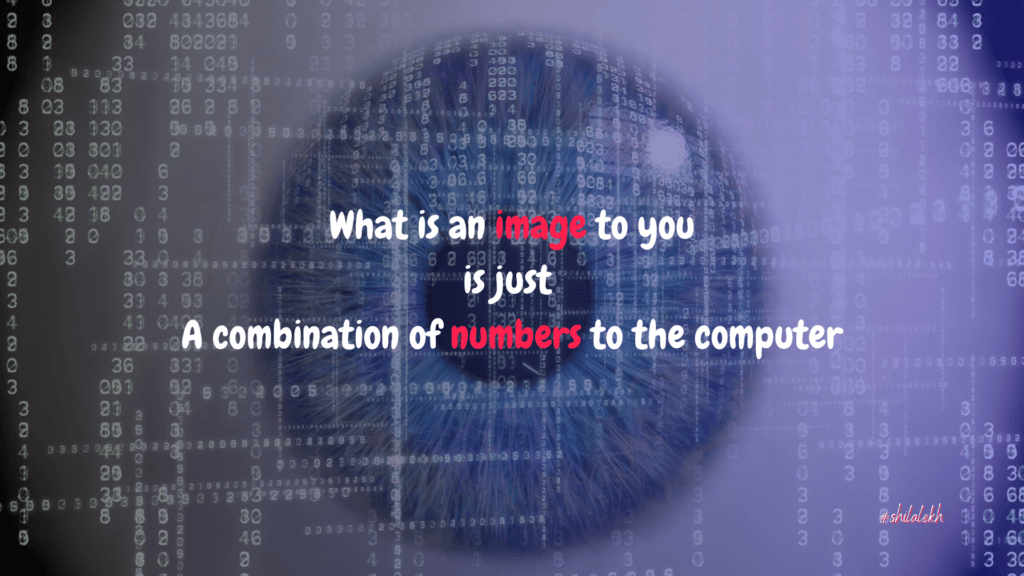
And each pixel has a numerical value representing its color. When you look at a photo, you see a picture. When a computer looks at the same photo, it sees a giant grid of numbers.
A grayscale image is simple. Each pixel gets a number from 0 (black) to 255 (white). A color image is a bit more complex. Each pixel has three numbers representing red, green, and blue values. So each pixel is a combination of numbers from (0, 0, 0) to (255, 255, 255).
That beautiful sunset photo on your phone is just millions of numbers arranged in a grid to a computer. Computer vision is about putting a name that combination of numbers.
Image Processing vs. Computer Vision: What’s the Difference?
People often confuse these two.
Image Processing is about changing an image. Increasing brightness, adding filters, removing red-eye. You’re transforming the image, not understanding it.
Computer Vision is about understanding the image. What objects are in this photo? Is this person happy or sad? How fast is that car moving?
One modifies. The other interprets. Both are useful, but they serve different purposes.
The Power of Learning: AI, Machine Learning, and Deep Learning
Now let’s talk about the “brain” behind computer vision.
Artificial Intelligence (AI) is the broad science of making machines smart. It’s the umbrella term.
Machine Learning is a subset of AI. Instead of programming specific rules, we show the computer thousands of examples and let it figure out the patterns. Imagine showing a computer 10,000 photos of cats and 10,000 photos of dogs. Over time, it learns to tell them apart.
Deep Learning takes machine learning further. It uses something called “neural networks” which are loosely inspired by how our brain works. These networks have multiple layers (that’s why it’s called “deep”) and are incredibly powerful at recognizing patterns in images.
Most modern computer vision applications use deep learning. It’s why your phone can recognize your face even when you’re wearing glasses or have messy hair.
Try It!
Let me give you a quick example of how machine learning thinks.
Look at these two sets of numbers:
Set A: 2, 4, 6, 8, ?
Set B: 1, 3, 5, 7, ?
What comes next in each set?
If you said 10 and 9, you’re right. You just used pattern recognition. That’s the core idea behind how machine learning works. It finds patterns in data and uses them to make predictions.
Computer Vision in Your World: Everyday Examples
This is where things get really interesting. Computer vision isn’t some futuristic technology. You’re probably using it multiple times every day without even realizing it.
Let me walk you through some examples.
Unlocking Your Phone with a Glance (Facial Recognition)
When you use Face ID on your iPhone or face unlock on your Android, you’re using computer vision.
The phone’s camera captures your face. The system analyzes key features, like the distance between your eyes, the shape of your nose, and the contours of your face. Then it compares this to the stored data and decides whether it’s really you.
All of this happens in milliseconds. Pretty amazing, right?
Instagram & Snapchat Filters That Follow Your Face (Augmented Reality)
Those dog ears that follow your face perfectly? That’s computer vision combined with augmented reality.
The app uses computer vision to detect your face, locate specific points (like your eyes, nose, and mouth), and track their movement in real-time. Then it overlays digital elements that move with you.
The next time you use a filter, remember there’s serious technology working behind that silly dog nose.
Self-Driving Cars: The Ultimate Co-Pilot
Self-driving cars are perhaps the most impressive application of computer vision.
These cars have multiple cameras and sensors constantly scanning the environment. Computer vision helps them identify pedestrians, other vehicles, traffic signs, lane markings, and obstacles. The car then makes split-second decisions based on what it “sees.”
We’re not fully there yet, but the technology is advancing rapidly.
Smart Shopping: “Search with a Photo” on Amazon
Ever used the camera search feature on shopping apps?
You point your phone at a product, and the app finds similar items for sale. This is computer vision in action. The system analyzes the image, identifies the product category, and matches it with items in the database.
It’s like having a personal shopping assistant who never gets tired.
Gaming: Motion Tracking with Xbox Kinect or VR
Remember Xbox Kinect? Or if you’ve tried virtual reality gaming?
These systems use computer vision to track your body movements. They detect your skeleton, follow your gestures, and translate physical movement into in-game actions. You become the controller.
Helping Doctors See More Clearly (Medical Imaging)
This is one of the most important applications.
Doctors use computer vision to analyze X-rays, MRIs, and CT scans. These systems can detect tumors, fractures, and other abnormalities sometimes even before a human eye can spot them.
In some studies, AI systems have matched or outperformed human radiologists in detecting certain cancers. That’s potentially life-saving technology.
Try It!
Here’s a challenge for you.
Go through your phone and find three apps that use computer vision. For each one, identify what feature uses it.
Some hints: Photo gallery apps that automatically organize your pictures by faces. QR code scanners. Beauty apps that smooth your skin. Fitness apps that track your exercises.
You might be surprised by how many you find.
Common Tasks & Algorithms in Computer Vision
Now let’s get a bit more technical.
But don’t worry, I’ll explain everything like you’re a curious friend asking questions.
Computer vision systems perform several key tasks. Each task answers a different kind of question.
Task 1: Image Classification (“Is this a picture of a dog or a cat?”)
This is the simplest task.
You give the computer an image and ask: what is this? The system looks at the entire image and assigns it a label. “Cat.” “Dog.” “Pizza.” “Mountain.”
Your phone’s photo app uses image classification to organize pictures into categories automatically.
Task 2: Object Detection (“Where is the dog in this picture?”)
Object detection goes a step further.
It doesn’t just identify what’s in an image. It also locates where each object is. The system draws bounding boxes around objects and labels them.
This is what self-driving cars use to find pedestrians, traffic signs, and other vehicles. It’s not enough to know there’s a pedestrian somewhere in the frame. The car needs to know exactly where that pedestrian is.
Task 3: Image Segmentation (“Outline every pixel that belongs to the dog.”)
This is the most precise task.
Instead of drawing a box around an object, image segmentation outlines the exact shape. It labels every single pixel in the image.
Ever used Portrait Mode on your phone? It blurs the background while keeping you sharp. That’s image segmentation. The phone figures out exactly which pixels belong to “you” and which belong to the “background.”
The “Brain” Behind the Tasks: A Quick Intro to CNNs
You’ve probably heard the term “neural network.” there are many types of neural networks. Here we are interesetd in Convolutional Neural Network (or CNN).
A Convolutional Neural Network is a type of deep learning model designed specifically for images. Think of it as a series of filters. The first filter might detect edges. The next might detect shapes. The next might detect textures. By the time the image passes through all the filters, the network has built up a complex understanding of what it’s looking at.
CNNs are the backbone of most computer vision systems today. When you hear about “AI that can see,” it’s usually a CNN doing the heavy lifting.
Try It!
Look at the image in your mind of a busy park with people, dogs, and trees.
First, classify it. What’s the main theme? (A park, right?)
Now, detect objects. How many dogs can you count? Where are they located?
You just performed image classification and object detection. The difference? Classification gives you one label for the whole image. Detection gives you labels and locations for specific objects within it.
How to Start Learning Computer Vision
Okay, so you understand what computer vision is. You’ve seen it everywhere. Now comes the exciting part.
How do you actually start building your own projects?
The good news is you don’t need expensive equipment or a computer science degree. You can start today with free tools and a bit of curiosity.
Your Starter Kit: Python and OpenCV
Python is the most popular programming language for AI and computer vision. It’s beginner-friendly, has tons of resources, and most importantly, it’s free.
OpenCV (Open Source Computer Vision Library) is a free toolkit packed with computer vision functions. Want to detect faces? There’s a function for that. Want to track objects in a video? There’s a function for that too.
The combination of Python and OpenCV is how most beginners start their computer vision journey. And honestly, even professionals use these tools.
Fun First Computer Vision Projects for Beginners
Here are two projects you can try:
Project 1: Real-time Face Detection. Use your webcam to detect faces and draw boxes around them. This is the “Hello World” of computer vision. Simple, satisfying, and you can show it off to your friends.
Project 2: Rock, Paper, Scissors Game. Train a model to recognize your hand gestures. Then build a game where you play Rock, Paper, Scissors against your computer. It’s fun, and you’ll learn about image classification in the process.
Both projects are achievable in a weekend with the right tutorials.
Where to Go Next: Top Resources for Students
Here are some places to continue learning:
- GeeksforGeeks has excellent beginner tutorials on Python and computer vision basics.
- Kaggle offers free courses and datasets to practice with.
- YouTube has countless tutorials. Search for “OpenCV Python tutorial for beginners.”
The key is to start small, build something that works, and gradually take on harder challenges.
Conclusion: The Future is Visual
Computer vision is about teaching computers to see and understand images. It works in three steps: capture, process, understand. It powers everything from face unlock to self-driving cars. And you can start learning it today with free tools like Python and OpenCV.
But here’s what excites me most.
Computer vision is shaping the future in ways we’re just beginning to understand. It’s helping doctors catch diseases early. It’s making cars safer. It’s creating entirely new ways to interact with technology.
And the best part? You’re at the perfect age to dive into this field. The students learning computer vision today will be the ones building tomorrow’s innovations.
So start asking questions. Start experimenting. Build something, break it, and build it again.
That’s your first step towards mastering this incredible technology.
Chapter Review & Activities
Key Takeaways
Let’s recap the most important concepts:
- Computer vision is a branch of AI that teaches machines to interpret visual information
- It works through three steps: image acquisition, image processing, and image understanding
- Common tasks include image classification, object detection, and image segmentation
- Python and OpenCV are the best tools to start learning
Test Your Knowledge
Try answering these questions:
- Which of these is NOT a computer vision application? a) Facial unlock on your phone b) Spell check in a word processor c) Self-driving cars
- What is the smallest unit of a digital image called?
- What’s the difference between image processing and computer vision?
- What does CNN stand for, and why is it important for computer vision?
Answers: 1-b (spell check is text processing, not visual), 2-pixel, 3-image processing modifies images while computer vision interprets them, 4-Convolutional Neural Network, it’s designed specifically to recognize patterns in images.
Tips for Teachers
Looking to use this in your classroom? Here are some ideas:
- Have students present on a computer vision application they find interesting. Let them research how it works and discuss both benefits and potential concerns.
- Hold a classroom debate on facial recognition technology. Should it be used in schools? What about public spaces? There are good arguments on both sides.
- Set up a hands-on session where students try the “scavenger hunt” activity together and share what they find.
Exercise Questions
Think deeper with these questions:
- Think of a problem at your school that could be solved using computer vision. How would the system work? What data would it need?
- Computer vision can recognize faces very accurately. What are some positive uses of this technology? What are some concerns people might have about it?
- If you were building a computer vision app for teenagers, what would it do? What problem would it solve?
Frequently Asked Questions
What is computer vision in simple terms?
Computer vision is a field of artificial intelligence that teaches computers to see, interpret, and understand the visual world. Just like your brain understands what your eyes see, computer vision enables machines to analyze images and videos to identify objects, people, and places.
What is the difference between computer vision and image recognition?
Image recognition is one part of computer vision, but they aren’t the same thing. Image recognition focuses on identifying a specific object in an image (like “This is a cat”). Computer vision is the broader field that includes recognition plus other tasks like understanding entire scenes, tracking objects in video, and even reconstructing 3D models from 2D images.
What are some real-world examples of computer vision?
You’re probably using computer vision every day without realizing it. Common examples include unlocking your smartphone with facial recognition, using AR filters on Instagram or Snapchat, visual search features in shopping apps, and the technology that allows self-driving cars to navigate roads.
How can a beginner start learning computer vision?
The best way for a beginner to start is by learning Python, as it’s the most popular language for AI development. Then explore beginner-friendly libraries like OpenCV. Starting with simple projects like face detection or object counting is a great first step.
Is computer vision part of AI?
Yes, computer vision is a major subfield of artificial intelligence. AI is the broad science of making machines intelligent, while computer vision is the specific branch that focuses on giving machines the ability to see and understand visual information.
What computer vision application fascinates you the most? I’d love to hear about it. Drop your thoughts in the comments below.